
Advanced Microsoft Access 2007 - Masterclass
Access 2007 users looking to enhance their skills will learn to design a secured, multi-user database. Create formula-driven validation, analyse data, create queries and more.
Quick Facts
Duration: 2 Days
Class Size: 10
Level: Advanced
Times: 9.00am - 5.00pm approx
Other Microsoft Access 2007 Courses:
About the Course
This 2 day course builds on the foundations covered in the Fast Track to Microsoft Access 2007. Learn about advanced data validation, split a database, optimise performance, and gain familiarity with Joins, Union Queries and Cartesian products. Instructors will teach participants about SQL syntax, security features, basic VBA commands, and other advanced features. At the completion of the formal sessions a workshop is conducted where the participants will be encouraged to use their own database model and ideas.
Who should do this course?
This course is designed for people who already have a good understanding of Microsoft Access, and need to upgrade their skills. Upon completion participants should be able to effectively design a secured, multi-user database.
Prerequisites
Students should have completed the FastTrack to Access 2007 course, or have equivalent practical knowledge, including database design, tables, queries, forms and reports.
Course Units
- Unit 1: Using the Navigation Pane
- - Tables and Related Views
- - Navigation Pane Objects
- - Custom Groups
|
- Unit 2: Validating and Standardising Table Data
- - Setting Default Values
- - Defining Field Validation
- - Requiring a Field to be Completed
- - Adding Date Picker to Date Fields
- - Using Rich Text Formatting (Memo Fields)
- - Table Validation Rules
|
- Unit 3: Setting Table Relationships
- - Locating Orphan Records
- - Cascading Updates and Deletes
- - Join Types
|
- Unit 4: Introducing Access SQL
- - Commonly used SQL Keywords
|
- Unit 5: Advanced Select Queries
- - Using Left
- - Using Mid
- - Using the LEN Function
- - Using IIF Functions
- - Using LCASE Functions
- - Using TRIM Functions
|
- Unit 6: Action Queries
- - Make Table Queries
- - Update Queries
- - Append Queries
- - Delete Queries
- - Action Query Workflow Example
- - Maintaining Record History via Append Only Memo Fields
|
- Unit 7: Aggregate Queries
- - Grouping Data
- - Adding Criteria to Aggregate Queries
|
- Unit 8: Cross Tab Queries
- - Creating CrossTab Queries
- - Modifying a CrossTab
|
- Unit 9: Using Pivot Table in Access (And Via Excel)
- - Creating Pivot Tables Within Access
- - Using Access Pivot Tables
|
- Unit 10: Introducing Access Macros and VBA
- - Just what is a Macro?
- - Macro Review
- - Creating and Editing Macros
- - Enhancing Macros with TempVars
- - Adding Conditions to Macros
- - Introducing Access VBA
- - Adding Conditions to Macros
- - Introducing Access VBA
|
- Unit 11: Advanced Form Design
- - GUI Design
- - Designing a Standardised User Interface Model
- - Working with Form Filters
- - Validating Form Data
- - Cascading Combo Boxes
|
- Unit 12: Designing with Layout View
- - a Quick Look at Layout View
- - Creating a Form Using the Quick Form Tool
|
- Unit 13: : Advanced Reports
- - NoData Event
- - Show/Hide Report Sections based on User Selections
- - Add Running Sums to Report Sections
- - Add a Watermark to a Report
|
- Unit 14 : Reporting Systems
- - Reviewing Methods to Run Reports
- - A Fully Featured Reporting Module
|
- Unit 15 : Database Security
- - Logging Users into the System
- - Restricting User Access to Design Elements
- - Converting to ACCDE Format
|
- Unit 16 : Splitting the Database
- - Why Split a Database
- - Using the Database Splitter
- - Relinking Tables
- - Manually Linking and Using Multiple Linked Table
|
Upcoming Courses
|
Sydney
Level 11, 32 Walker Street
North Sydney
View map
|
- Date:
- 20-21 Sep 10
- 16-17 Dec 10
|
|
Melbourne
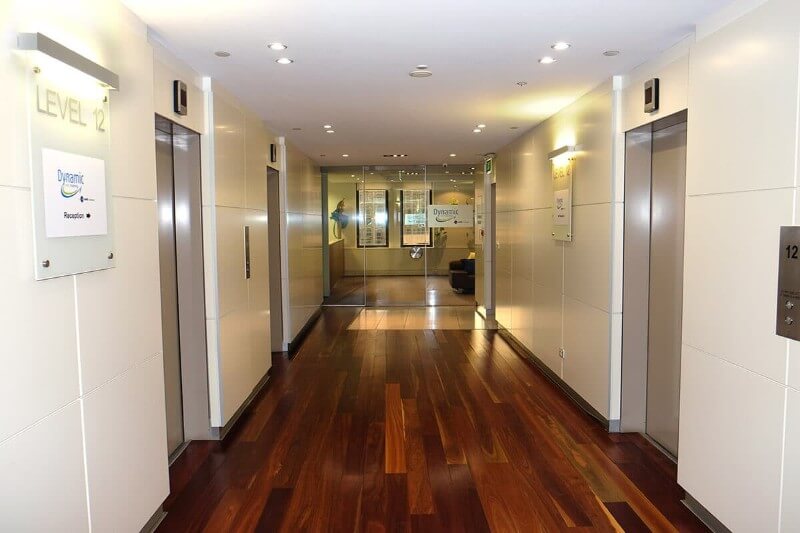
Level 12, 379 Collins Street
Melbourne
View map
|
- Date:
- 08-09 Nov 10
|
|
Brisbane
C/- Training Choice, Mezzanine Level, 88 Creek Street
Brisbane
View map
|
- Date:
- 23-24 Sep 10
- 20-21 Dec 10
|
|
Canberra
C/- Training Choice, Level 4, 54 Marcus Clarke Street
Canberra
View map
|
Date: upon demand
|
|
Adelaide
C/- Mindfull Computer & Seminar, Level 4, 74 Pirie Street
Adelaide
View map
|
Date: upon demand
|
|
Perth
C/- Training Choice, Level 7, 105 St Georges Terrace
Perth
View map
|
Date: upon demand
|
Duration: 2 Days
Class Size: 10
Level: Advanced
Times: 9.00am - 5.00pm approx